SecurityScanSkill
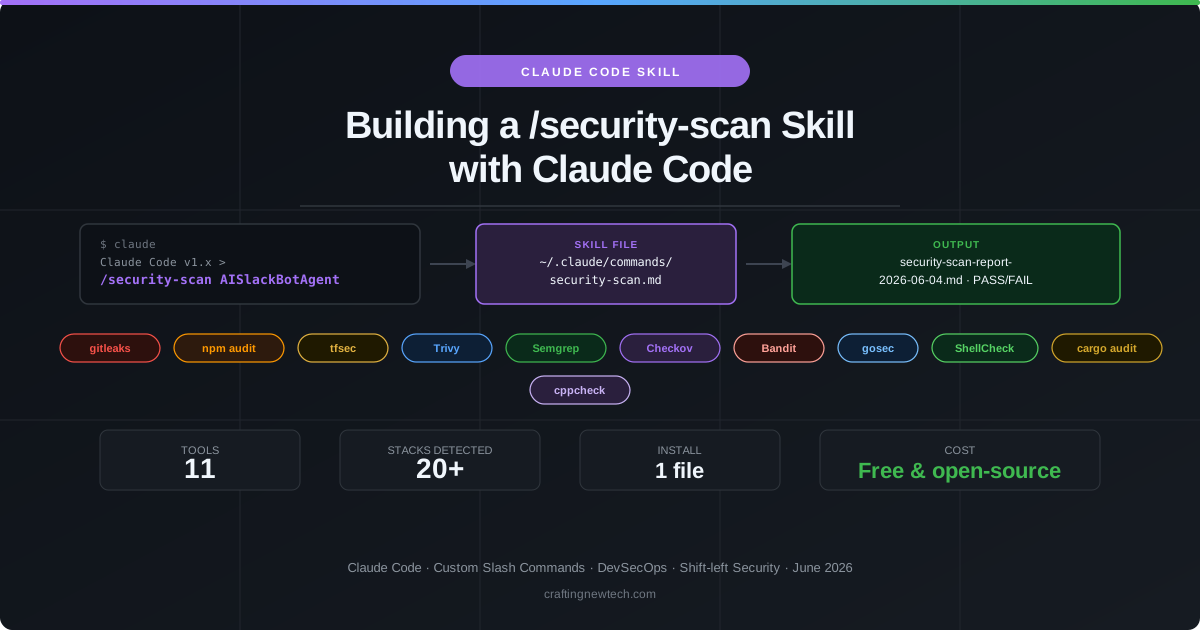
A Claude Code custom skill called (“security-scan” - it runs as \security-sca) that turns one keystroke into a full security audit. Claude inspects the project, detects the stack, runs every applicable tool, and produces a structured Markdown report with findings sorted by severity and actionable remediation steps.
Stack: Claude Code · Bash · gitleaks · npm audit · tfsec · Trivy · Semgrep · Checkov · Bandit · gosec · ShellCheck · cargo audit · cppcheck | Type: Developer productivity tool — one file, zero configuration
How it works
Stack detection — Before running any tool, the skill inspects 20+ signals in the target directory (presence of package.json, *.tf, Dockerfile, go.mod, requirements.txt, Cargo.toml, etc.) and sets boolean flags. Only tools relevant to the detected stack are executed — a pure Python project never waits for a Terraform scan.
Tool execution — Each of the 11 tools owns a specific threat category. Missing tools are skipped gracefully and listed in the report with install instructions. No tool tries to do everything — specialists with deep rule sets outperform generalists.
Report generation — All findings are merged into a single structured Markdown report sorted by severity (CRITICAL → HIGH → MEDIUM → LOW). Every finding includes the file path, line number, rule ID, and a concrete remediation command.
The 11 Tools
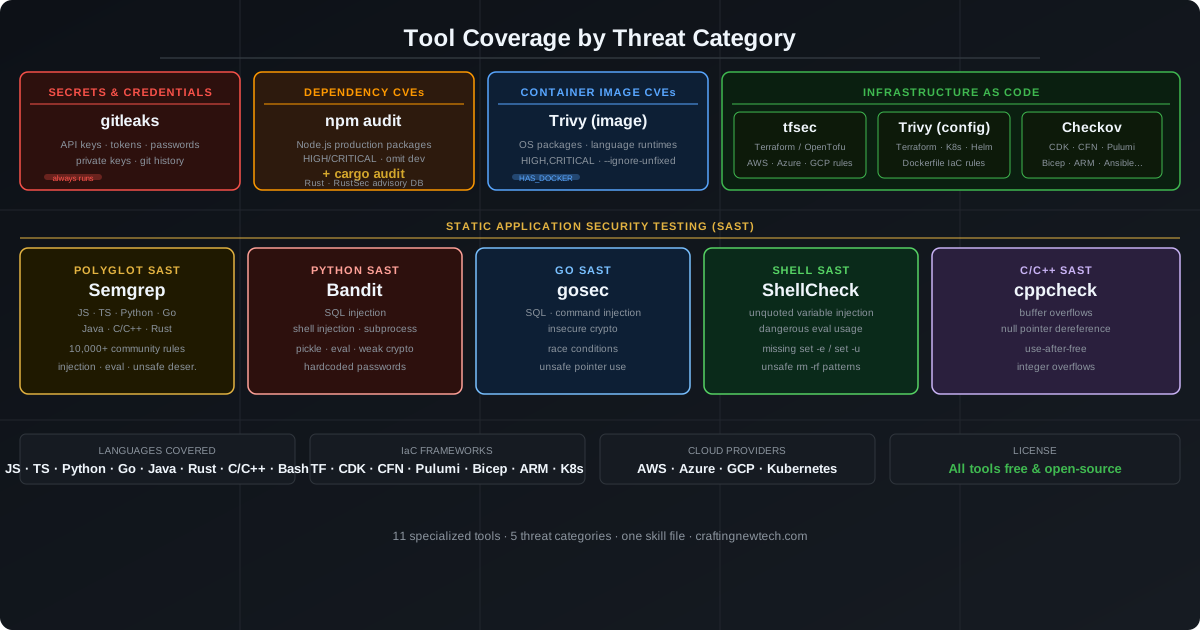
| # | Tool | Threat Category | Runs When |
|---|---|---|---|
| 1 | gitleaks | Secrets & credentials in git history | Always — every project has a git history |
| 2 | npm audit | Node.js dependency CVEs | package.json detected |
| 3 | tfsec | Terraform IaC misconfigurations | *.tf files detected |
| 4 | Trivy | Container CVEs + IaC config scan | Dockerfile or *.tf / k8s/ detected |
| 5 | Semgrep | Polyglot SAST (8 languages) | JS/TS, Python, Go, Java, Ruby, PHP, C, C++ |
| 6 | Checkov | Multi-framework IaC (7 frameworks) | Terraform, K8s, Helm, CloudFormation, ARM, SAM, Dockerfile |
| 7 | Bandit | Python SAST | *.py files detected |
| 8 | gosec | Go SAST | go.mod detected |
| 9 | ShellCheck | Bash / shell script analysis | *.sh files detected |
| 10 | cargo audit | Rust dependency CVEs | Cargo.toml detected |
| 11 | cppcheck | C/C++ static analysis | *.c / *.cpp files detected |
Execution Flow
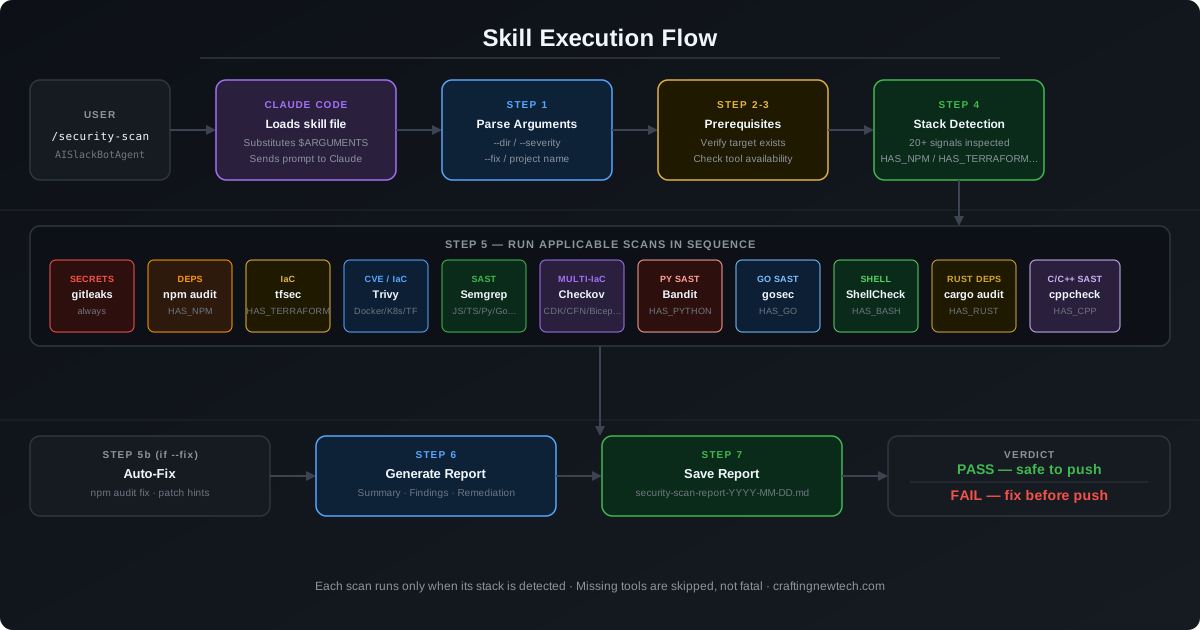
The skill follows a strict eight-step sequence on every invocation:
- Parse arguments —
--dir,--severity,--fixflags - Verify target — confirm the directory exists and is a git repo
- Check prerequisites — version-check each tool; mark missing ones as
SKIP - Detect stack — inspect 20+ file signals, set boolean flags
- Run applicable tools — execute in parallel where possible
- Collect findings — normalize output across tool formats
- Generate report — sort by severity, add remediation steps
- Print summary — pass/fail gate with counts per severity level
Usage
/security-scan                        # scan current directory
/security-scan AISlackBotAgent        # scan a named project
/security-scan --dir ./website        # scan a subdirectory
/security-scan --severity CRITICAL    # report CRITICAL findings only
/security-scan --fix                  # scan then attempt auto-fixes
The skill file lives at ~/.claude/commands/security-scan.md — available globally in every project without any per-project setup.
Key design decisions
One file, no config — The entire skill is a single Markdown prompt. No scripts, no CI config, no external service. It works in any repo by inspecting what is there.
Graceful degradation — Missing tools are skipped, not fatal. The report notes which tools were skipped and provides the install command for each.
No false mandate — Stack detection gates every tool. If your project has no Terraform files, tfsec never runs. This keeps execution fast and the report signal-to-noise high.
Actionable output only — Every finding includes file, line number, rule ID, and a remediation command. Generic warnings without a fix path are not surfaced.
--ignore-unfixed on image scans — Trivy image scans exclude CVEs with no available patch. Without this flag, hundreds of unfixable findings would bury the ones you can act on.
Installation
# 1. Create the global commands directory (if it doesn't exist)
mkdir -p ~/.claude/commands

# 2. Copy the skill file
cp security-scan.md ~/.claude/commands/security-scan.md

# 3. Install the tools for your stack
brew install gitleaks trivy semgrep checkov shellcheck
npm install -g @biomejs/biome
pip install bandit
go install github.com/securecodewarrior/gosec/v2/cmd/gosec@latest
Full installation instructions and the skill file source are covered in the companion article: Building a Security Scan Skill with Claude Code.